
Strategies: choose, backtest, tune
Nine strategies in three market views, each tested on real data before it trades.
The Strategies tab is where you choose and test what a bot will run. It has two views: "Discover", the settings that tested well in last night's sweep, and "Catalog", every strategy A9 can run. Strategies trade tokenized US stocks and ETFs, such as XNVDA, XTSLA, XQQQ and XSOXL, on your OKX or Binance account.
Three market views
Every strategy is tagged with the market it is built for, as an answer to "what do you think the market will do?". The chips at the top of the Catalog filter by them.
- Ranging: swings up and down inside a range. Spot Grid, RSI Reversion, Bollinger Reversion.
- Trend: moves one way and keeps going. EMA Cross, Donchian Breakout, ROC Momentum, Anti-Martingale.
- Accumulation: rises over the long run, bought in slices. Martingale DCA, Smart DCA.
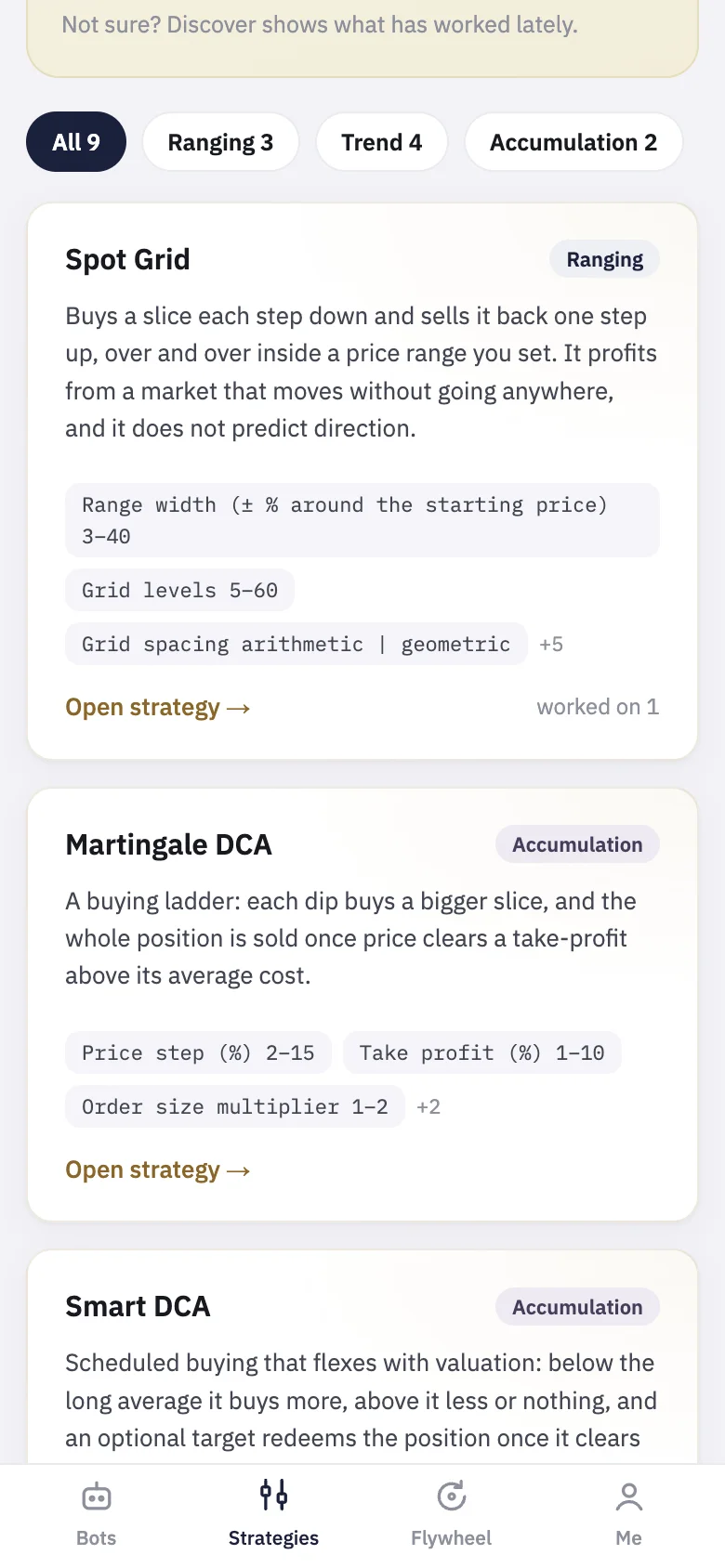
The nine strategies
- Spot Grid: rests a buy on each line of a price range you set, sells each slice one line higher, and repeats. It does not predict direction. Above the range it has sold everything; below it, it holds every slice. Either way it waits and resumes when price returns.
- Martingale DCA: a buying ladder. Each dip of a set step buys a bigger slice, and the whole position is sold once price clears a take-profit above the average cost.
- Smart DCA: scheduled buying (every few bars or on chosen weekdays) that buys more below the long average and less or nothing above it, with an optional take-profit target.
- Anti-Martingale: adds only while the trade is winning and leaves on a trailing stop from the cycle's peak.
- EMA Cross: long when the fast average crosses above the slow one; flat or short when it crosses back.
- Donchian Breakout: buys a close above the recent high, exits below the recent low.
- Bollinger Reversion: buys stretched dips below the lower band, sells the move back to the average.
- ROC Momentum: long while price is up more than a threshold over the lookback, flat when momentum fades.
- RSI Reversion: buys extreme oversold and, if allowed, shorts extreme overbought, in the direction a longer average permits.
Grid, both martingales and Smart DCA are long-only spot strategies. The other five can short when "Allow shorting" is on. A bot with shorting on trades the share's perpetual in your futures account, longs and shorts alike, so the key needs futures permission.
Discover
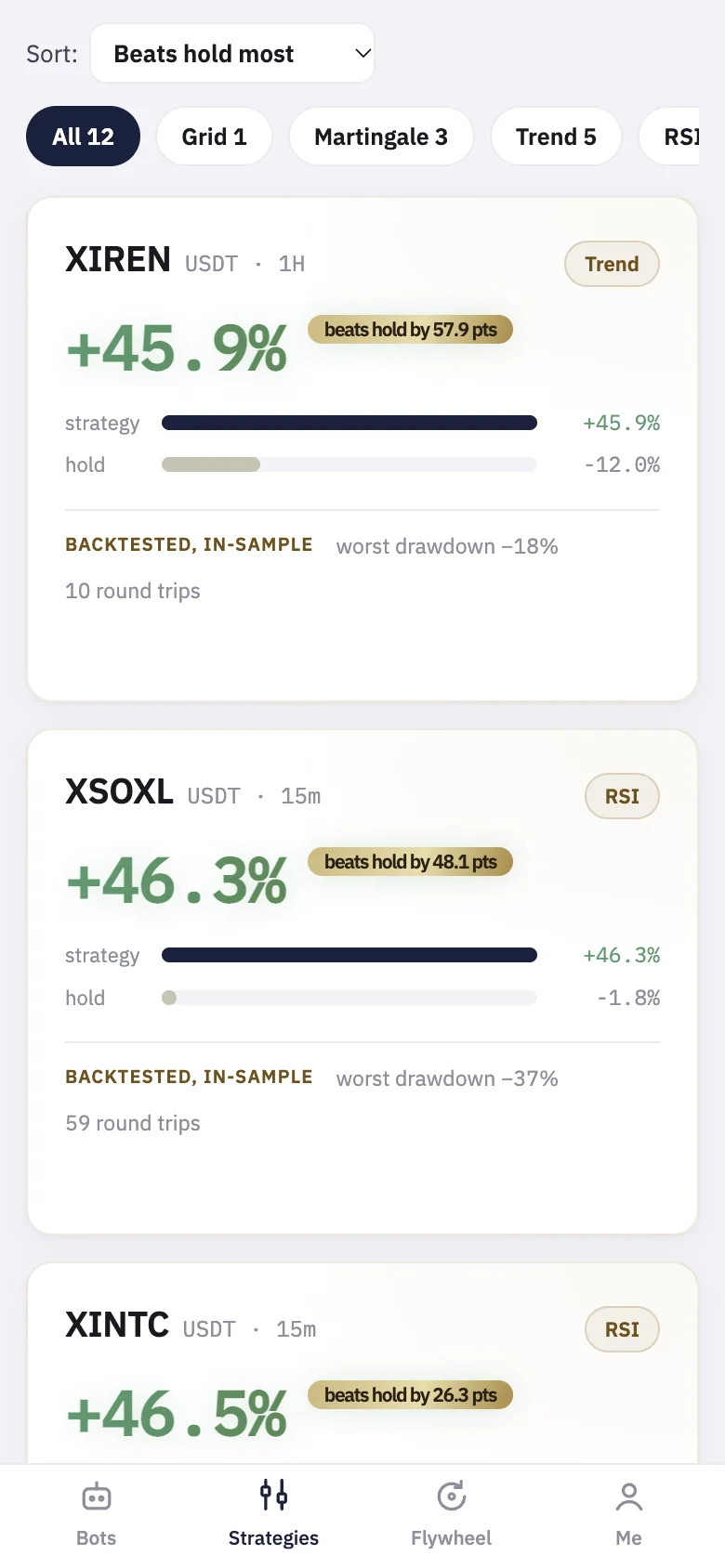
Every night A9 sweeps the strategies across the symbols and keeps only the configurations that pass its checks. Among them: at least three round trips, a positive return above buy and hold over the same window, a return large enough against the worst drawdown, entries that beat most of the same trades shifted in time (the "timing" figure on the card), and settings that still beat holding when each one is moved ±20%. Each card shows the symbol and bar, the return against holding, the worst drawdown, the round trips and the timing score. The chips filter by family (Grid, Bollinger, Martingale, Trend, RSI); sort with "Beats hold most", "Smallest drawdown" or "Most round trips". "How these are picked ›" explains the checks.
Read the label on each card. Today's picks are "backtested, in-sample": they were ranked on a short recent window, which is indicative only. A card marked "out of sample" was tested on data the search did not see. A pick is a starting point to test, not a recommendation. Press "Run this backtest" to open it with its settings loaded.
Set up and backtest
- In Catalog, press "Open strategy →" on a card.
- Set it up: Symbol, Bar (1D, 1H, 15m, 5m or 1m; the grid has no Bar and always runs on 1m), Since (the start of the window) and the strategy's own parameters. If you have more than one key, choose the Account.
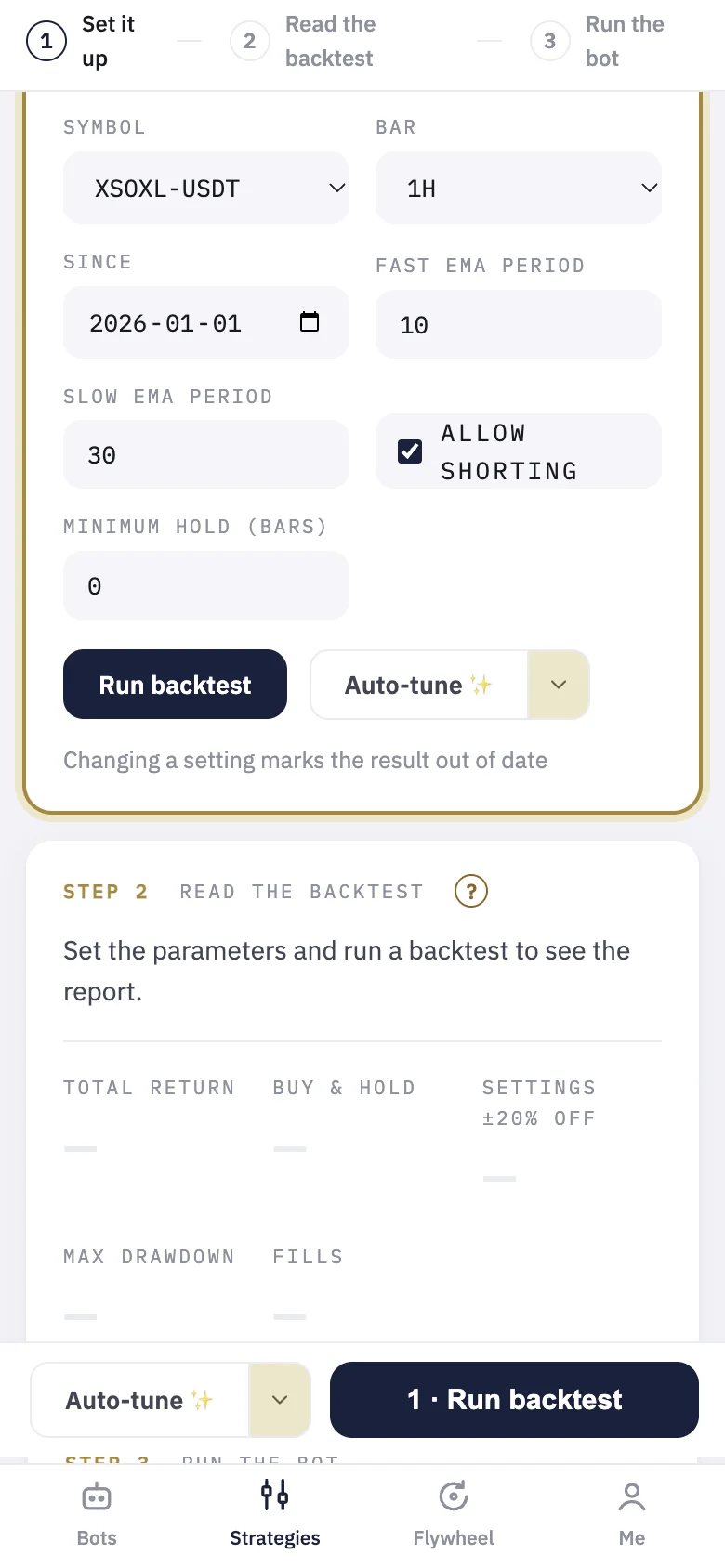
- Press "Run backtest" (on a phone, "1 · Run backtest" in the bar at the bottom). It runs on real exchange candles, with taker fees included.
- Read the backtest: Total return with its annualized APR, Buy & hold over the same window, Max drawdown, Fills and Win rate (exits sold above cost).
- Check "Settings ±20% off": the typical result when each setting is nudged. A result that collapses when the settings move a little was probably luck. The page also warns when the dip along the way was bigger than the final gain.
"Where this strategy has worked" lists the symbols on that strategy's nightly shortlist; tap one to load and test it.
Auto-tune
"Auto-tune ✨" searches for better settings on the same symbol, bar and window and fills the form with the best it finds. On daily bars it tunes on the first 70% of the window and checks the result on the last 30%; on shorter bars it runs the same checks as the nightly sweep, and says so when nothing passes them. To keep some settings as they are, open the arrow next to it, tick "Keep fixed" on those, and press "Auto-tune the rest ✨". Treat a tuned result with care: the more a search tries, the easier it is to find settings that fit the past by chance. Run the backtest again and check the ±20% line before you trust it.
Run the bot
Under "Run this as a bot", set "Per entry (USDT)" and press "Run bot". The bot starts with exactly the settings you just tested, on your exchange account, with real money. Leverage (1x to 20x) is offered only when shorting is on; backtests assume 1x, marked "as backtested", so a higher setting multiplies the drawdown you saw. The Bots guide covers what happens next.
Common questions
- Does a good backtest mean the bot will make money? No. A backtest shows how the rules would have traded the past, with fees. Markets change; start small.
- Whose candles are used? Those of the exchange of the account you choose. With no account chosen, Binance's, or OKX's where Binance does not list the symbol. If your exchange has no candles for a symbol, the backtest says so instead of using another's.
- Why do I see stocks and no coins? The product currently offers tokenized equities only.